
Download Dubdub – AI Voice Generator, Secure Subscription, Free Trial
Overview
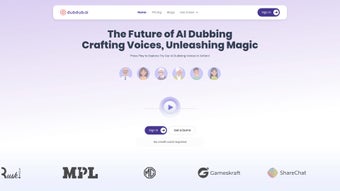
Dubdub is a modern, subscription‑based web application that belongs to the fast‑growing category of AI voice generators. Developed by Md Arsalaan and launched on Softonic on August 1st 2024, Dubdub promises to transform the way creators, marketers, and educators produce spoken content. The platform operates entirely in the browser, which means you never have to install heavy software on your local machine.
Instead, you simply log in through a secure HTTPS connection, choose from a growing library of synthetic voices, type or paste your script, and let the AI engine synthesize natural‑sounding speech in seconds. What sets Dubdub apart from many free text‑to‑speech tools is its emphasis on high‑quality neural voice models, multilingual support, and an intuitive UI that caters to both beginners and seasoned audio producers. The subscription model includes tiered plans ranging from a basic “Starter” package for occasional users to a professional “Enterprise” suite that offers bulk licensing, API access, and custom voice creation.
While the service is still relatively new, early user feedback highlights its reliability across major browsers—including Internet Explorer, Firefox, Opera, Safari, and Chrome—making it a versatile choice for any web‑based workflow. Whether you need voice‑overs for video tutorials, podcast intros, e‑learning modules, or interactive voice response (IVR) systems, Dubdub’s cloud‑native architecture ensures you receive fast, secure, and consistently high‑fidelity audio without the hassle of managing local codecs or hardware.
Key Features That Make Dubdub Stand Out
- Neural‑Level Voice Quality: Powered by state‑of‑the‑art deep learning models, Dubdub delivers lifelike intonation, breath control, and emotional nuance that rivals human narration.
- Multilingual Library: Over 30 languages and 150 distinct voice personas are available, allowing creators to produce localized content without hiring multiple voice actors.
- Real‑Time Preview & Editing: Users can listen to a real‑time preview of their script, make on‑the‑fly adjustments to pacing, pitch, and emphasis, and instantly regenerate the audio.
- Batch Processing & API Integration: For power users, Dubdub offers an API endpoint and bulk upload feature that can convert thousands of scripts in one go, perfect for large‑scale projects.
- Secure Cloud Storage: All generated audio files are stored in encrypted servers with configurable retention policies, ensuring compliance with GDPR and other privacy regulations.
- Flexible Subscription Tiers: From a free trial with 30 minutes of voice synthesis to unlimited enterprise plans, the pricing model adapts to the needs of hobbyists and corporations alike.
- Custom Voice Creation (Enterprise Only): Brands can train a proprietary voice model using their own audio assets, guaranteeing a unique auditory identity.
- Browser Compatibility: Fully functional on IE, Firefox, Opera, Safari, and Chrome, Dubdub eliminates compatibility headaches for teams using diverse operating systems.
Each feature has been designed with usability and performance in mind. For example, the real‑time preview leverages WebAssembly to offload processing to the client’s CPU, reducing latency and preserving bandwidth. The batch processing pipeline uses a queuing system that scales automatically on cloud infrastructure, ensuring that large jobs never stall.
Moreover, Dubdub’s secure storage complies with industry‑standard encryption (AES‑256) and offers role‑based access controls, which is crucial for teams handling sensitive corporate communications or educational content. The platform’s API follows RESTful conventions and returns audio in common formats such as MP3, WAV, and OGG, making integration with existing content management systems seamless. In short, Dubdub packs a comprehensive suite of professional tools into a single, browser‑based interface, eliminating the need for multiple disjointed applications.
Installation, Usage & Compatibility
Getting Started – No Installation Required
Because Dubdub is a cloud‑native web application, the installation process is virtually non‑existent. To begin, visit the official website, click the “Sign Up” button, and create an account using an email address or a social login (Google, Microsoft, or Apple). After confirming your email, you’ll be taken to the dashboard where you can select a subscription plan. A free trial is automatically applied, giving you 30 minutes of voice synthesis credit to explore the platform’s capabilities. No downloads, no installers, and no system‑level permissions are required—just a modern web browser and an internet connection.
Step‑by‑Step Workflow
- Choose a Voice: Browse the voice library, filter by language, gender, or style, and click “Select”.
- Enter Your Script: Paste or type the text you want to convert. The built‑in character counter helps you stay within your credit limits.
- Adjust Settings: Tweak speed, pitch, and add optional breathing or emphasis markers using the simple slider controls.
- Preview & Edit: Click “Play Preview” to listen instantly. If needed, edit the script or settings and preview again.
- Generate & Download: When satisfied, click “Generate Audio”. The file will be processed in the cloud, then a download link appears. You can also save the file directly to your cloud storage (Google Drive, Dropbox, or OneDrive) via integrated connectors.
- API Use (Advanced): For developers, copy the generated API key from your account page, then send POST requests to
https://api.dubdub.ai/v1/synthesizewith JSON payload containing the script and voice ID.
Browser Compatibility & System Requirements
Dubdub is engineered to work flawlessly across the major browsers: Internet Explorer (11+), Mozilla Firefox (latest), Opera (latest), Safari (12+), and Google Chrome (latest). The application utilizes HTML5, WebGL, and WebAssembly, ensuring smooth performance even on older hardware. While there are no strict operating‑system constraints, a stable internet connection (minimum 3 Mbps) is recommended for optimal real‑time preview quality. Mobile browsers are also supported, allowing users to generate voice content on the go via Chrome for Android or Safari on iOS, though the full feature set (especially batch processing) is best experienced on desktop browsers.
Because everything runs in the cloud, there is no need for local GPU acceleration or specialized audio codecs. The platform automatically detects the user’s browser capabilities and adjusts the rendering pipeline accordingly, delivering a consistent experience regardless of the underlying OS (Windows, macOS, Linux, or ChromeOS). For enterprises that require on‑premises compliance, Dubdub offers a private‑cloud deployment option (available under the Enterprise tier) that can be hosted within a company’s own data center.
Pros and Cons – A Balanced Look
Pros
- High‑quality neural voices that sound natural and expressive.
- Extensive multilingual support with more than 150 voice options.
- Zero installation – runs entirely in the browser.
- Flexible subscription plans, including a free trial.
- Robust API for developers and batch processing capabilities.
- Secure, encrypted cloud storage compliant with GDPR.
- Full compatibility with major browsers and operating systems.
- Custom voice creation for brand‑specific audio identity.
Cons
- Requires a constant internet connection; offline usage is not possible.
- Free tier limits voice synthesis minutes, which may be restrictive for heavy users.
- Advanced features (custom voice, bulk API) are locked behind higher‑priced enterprise plans.
- Performance may vary on very old browsers or low‑end devices.
- No native desktop or mobile app; relies solely on web access.
Frequently Asked Questions
Is Dubdub truly free to try?
Yes. New users receive a 30‑minute free credit that can be used to test any voice in the library. No credit card is required to start the trial.
Can I download the generated audio files in different formats?
Absolutely. Dubdub offers MP3, WAV, and OGG formats. You can select the desired format before generating the final file.
How secure is my data on Dubdub’s servers?
All data is encrypted at rest with AES‑256 and transmitted over TLS 1.3. Access controls are role‑based, and the platform complies with GDPR, CCPA, and ISO‑27001 standards.
Does Dubdub support custom voice creation for my brand?
Yes, but only on the Enterprise tier. You can provide a set of recorded scripts, and the AI team will train a unique voice model exclusive to your organization.
Is there an API, and how do I get started with it?
Dubdub offers a RESTful API. After signing up, navigate to the “API Keys” section in your dashboard, generate a key, and follow the documentation at docs.dubdub.ai for integration examples.
Conclusion – Is Dubdub Right for You?
Dubdub emerges as a compelling solution for anyone needing high‑quality AI‑generated speech without the hassle of installing bulky software. Its browser‑based approach, extensive voice library, and secure cloud infrastructure make it suitable for freelancers, educators, marketers, and large enterprises alike. While the reliance on an internet connection and the tiered pricing model may deter some users, the free trial provides enough runway to evaluate the platform’s performance before committing. If you’re looking for a scalable, multilingual voice synthesis tool that integrates smoothly with existing workflows—whether through the intuitive web UI or a robust API—Dubdub deserves a serious look. Start your free trial today, experience the naturalness of its neural voices, and decide whether its subscription model fits your budget and needs.
Dubdub delivers impressive voice quality and a user‑friendly experience. The subscription tiers are clear, and the API opens doors for automation. Minor drawbacks include the need for a constant internet connection and limited offline capabilities. Overall, a solid 4.5‑star rating for modern AI voice generation.
Review Summary
- Pros: Natural voices, multilingual, browser‑based, secure storage.
- Cons: No offline mode, premium features behind higher pricing.
Ready to give Dubdub a spin? Click here to start your free trial and join the growing community of creators who are already benefiting from AI‑powered voice synthesis.



.png)



